Begin with the prompts your game displays
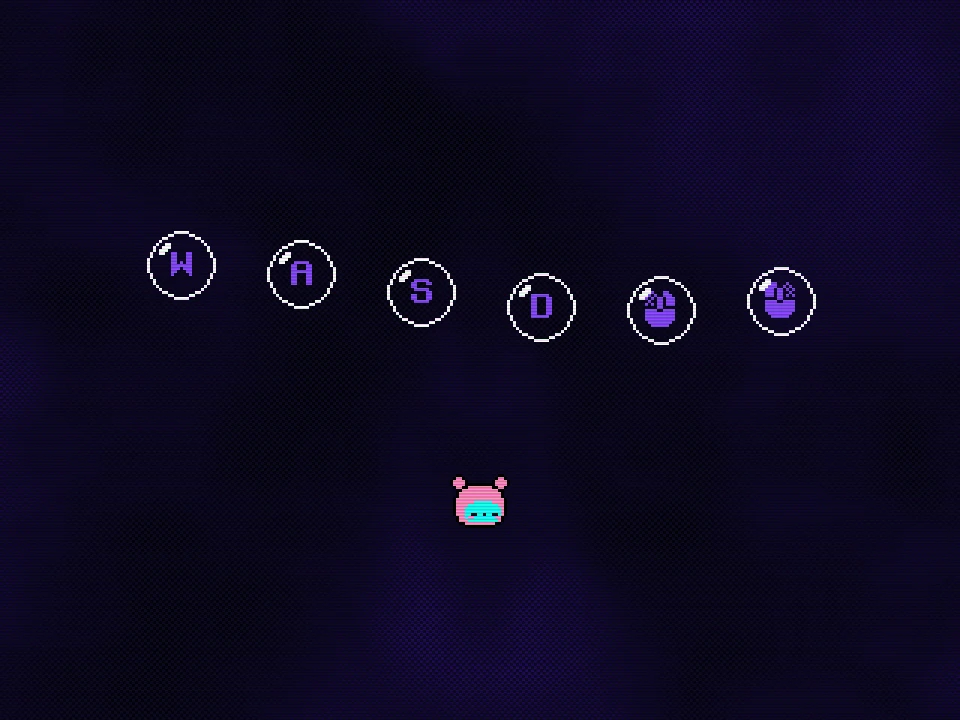
Open the game window and give it focus before testing the controls. The interactive opening shows WASD and mouse-button symbols in the keyboard-and-mouse setup. Activate the displayed inputs individually so that you can see which prompt responds. Do not begin by holding a combination remembered from another platform game.
For the inspected keyboard-and-mouse setup, A and D provide horizontal movement, the left mouse action places the body bomb and the right mouse action detonates it. If you have selected a keyboard-only or custom layout, use its actual bindings instead. The demo has had control-option updates, so an alternative key pair in an older recording should not override the setup currently shown on your screen.
Separate the setup into four actions
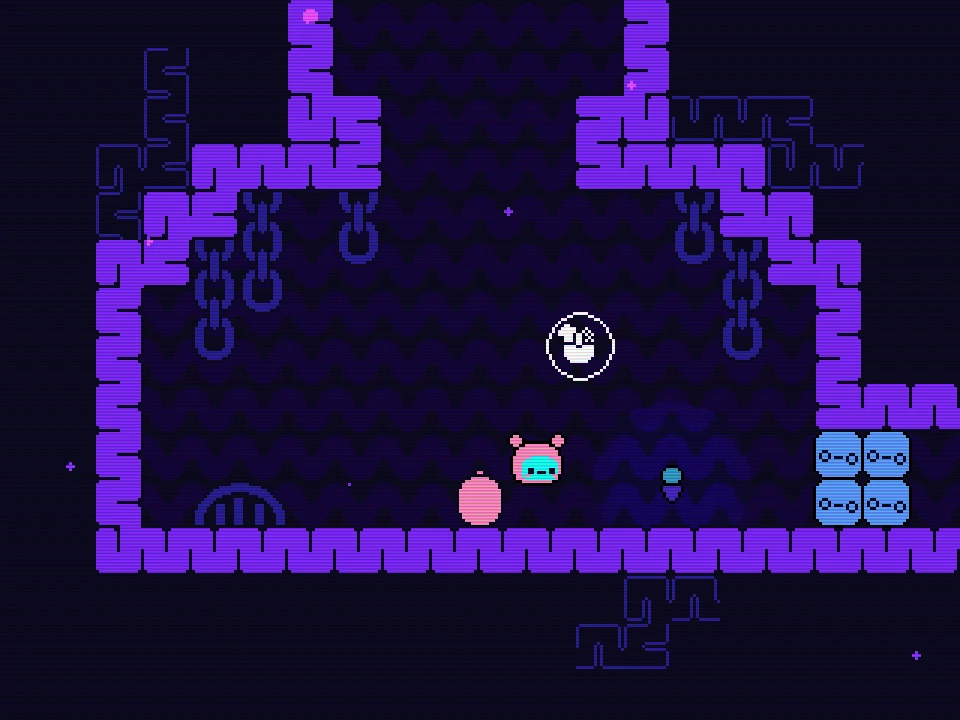
Use the broad first-room floor for this experiment. Stay away from an edge and leave enough space to see both the bomb and the head. You are learning a direction relationship, so there is no benefit in making the first test beside spikes.
Place the body on safe floor
Use the placement action once and watch for the detached pink bomb. Keep that position in mind; it is the fixed point for this attempt.
Move the head a short distance
Move right just far enough that the head is visibly separate from the body. Stop the horizontal input so that the next result is easy to compare.
Detonate once
Use the detonation action and watch which way the head moves. A head positioned to the right of the bomb receives a rightward part to the launch.
Let the result settle
Identify the landing and wait for the body to be available again before trying another placement. Do not turn the first blast into a string of rapid clicks.
Compare the bomb, the head and the landing
A useful first test leaves the bomb near its original floor position while the head moves to one side. In the opening-room example, moving right after placing produced a rightward and upward launch. The important observation is the head’s position at detonation, not the direction the creature happened to face when the bomb was first placed.
For the next attempt, keep the body position recognizable and change only the head’s position. Compare the direction and landing with the previous result. If you change the body location, movement duration and trigger moment together, a different outcome tells you much less about which change caused it.
Choose a real receiving surface for each test. A blast that moves in the intended direction can still finish at the wrong height or against a wall. If the head travels far enough but lands poorly, preserve the useful sideways component and adjust the vertical relationship or trigger moment. If it barely leaves the departure area, reassess the relative positions before blaming the key binding.
Make the first launch repeatable
Repeat the small safe-floor setup until you can distinguish three states without guessing: body attached and ready, body placed with head separated, and explosion followed by body recovery. This is enough for a first controlled launch. It is not necessary to solve the next room or have two bombs before this routine becomes useful.
A blue stack near the first passage can be displaced by an explosion and then settle back. Use that as a reminder to inspect the actual aftermath. Do not assume a nearby obstacle was permanently destroyed simply because it moved during the flash. A movement test and a timed passage opening can require different follow-through.
Stop practising once you can predict a simple launch and recognize its result. Continue exploring with that dependable input sequence. The next task is choosing a useful landing in the room, rather than pressing the same buttons faster. Two-bomb planning is a later problem and should not replace this basic check.
Fix the specific action that did not happen
| What you see | What to check next |
|---|---|
| Movement affects the page or nothing in the game | Click inside the running game window and repeat one movement input. |
| No detached body appears after an explosion | Wait for body recovery before trying placement again. |
| A bomb is placed but the launch goes the wrong way | Compare the head’s position with the bomb at detonation. |
| The game uses a different control layout | Read its active bindings and test them individually on safe floor. |
| The player shows a connection failure | Use Retry Game; this is separate from an in-game movement problem. |
There is a brief recovery after a body bomb explodes. Placement during the unavailable moment can appear delayed and does not create instant repeated flight. Wait for a clear body state before evaluating the next attempt. If input works and the launch is simply unhelpful, return to the safe setup and change one position. The goal is a first blast whose cause and result you understand, not a lucky crossing you cannot repeat.