
Explore by deciding where the next blast should leave you
Öoo is a compact puzzle platformer about a tiny creature whose body can become a bomb. The head can move away from that placed body before you trigger the explosion. That separation turns a simple-looking cavern into a set of positioning problems: where should the bomb stay, where should the head be and which surface should catch the result? A blast is a movement tool, so a useful launch is measured by the position it creates rather than by how much of the screen flashes.
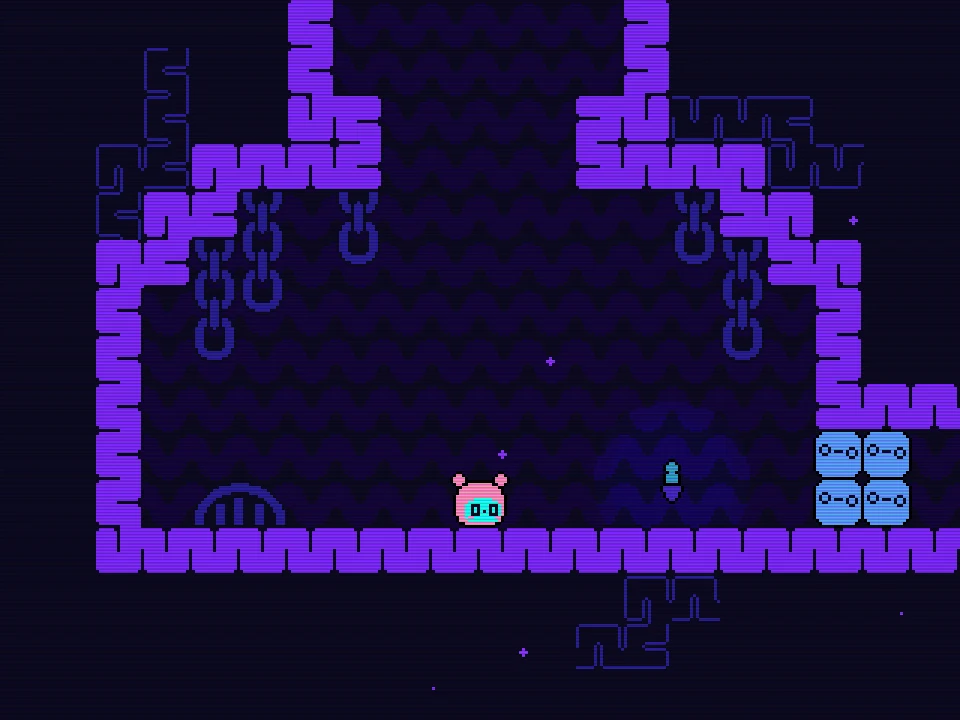
The browser demo introduces its ideas through small rooms, visual prompts and immediate feedback. Purple walls frame the passages, pale blue obstacles can occupy a route and bright spikes make unsafe landings easy to recognize. Start with the nearby floor and one deliberate explosion. The later two-bomb situations make more sense when you can already explain why one launch moved the head in a particular direction.
Follow the active input prompts before exploring
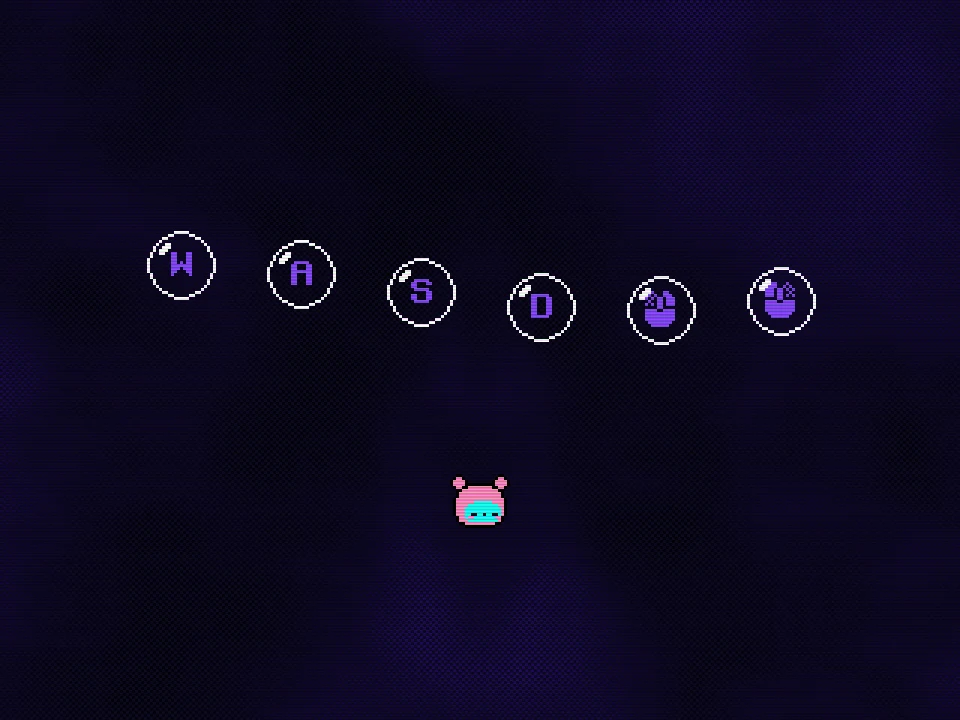
The opening interactive tutorial displays WASD and mouse-button symbols. Complete the prompts one at a time, keeping the game window focused. In the keyboard-and-mouse setup, A and D move horizontally, the left mouse action places a body bomb and the right mouse action triggers detonation. Watch the visible prompt and the creature’s response rather than importing a jump key from another platform game.
Keyboard-only and custom-binding options exist in the demo’s control updates, so the active on-screen setup matters more than a remembered alternative key pair. If you change the controls, check the game’s own menu and test each action on safe floor. A layout that worked in a different build or another player’s recording is not a reason to keep pressing a key that your current setup does not use. Begin by distinguishing movement, placement and detonation as three separate actions.
Place the body, then choose the head’s position
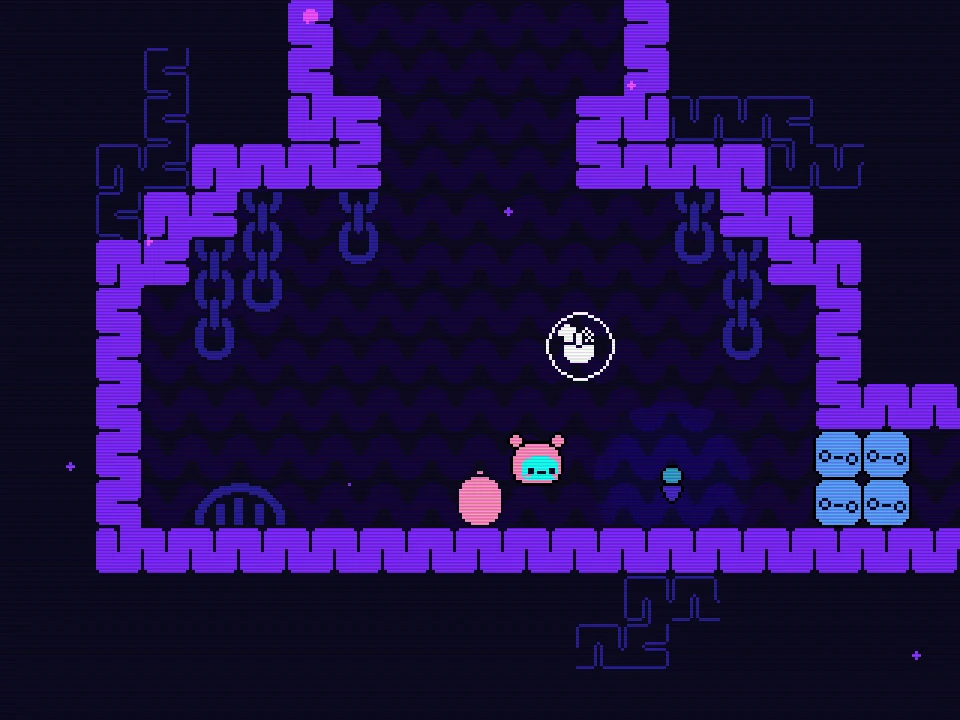
A placed body bomb remains at the setup position while the head can move away. In the opening room, placing on the central floor and moving a short distance right leaves a clearly separated pink bomb and head. That is the state to inspect before firing. The useful question is no longer simply where the creature started, but where the head now sits relative to the bomb.
Triggering from the right side produces a rightward component to the launch; the same starting bomb with a different head position creates a different route. Try this in the broad initial space before depending on it beside spikes. Keep the bomb position recognizable and change only the head’s position for the next attempt. That comparison teaches direction much more clearly than placing and firing repeatedly while moving continuously across the room.
A launch needs a destination, not only a direction
Before detonating, identify the surface you want the head to reach. A gap may call for sideways travel, a ledge may need height and a low ceiling may make an overly high launch unhelpful. Trace the space between the head and the intended landing, including the part above the character. The explosion can provide movement, but the room’s solid walls still define which of those movements is useful.
After a missed attempt, compare the actual arrival with the intended one. A head that rises well but stays short of the next platform needs a different adjustment from one that travels far enough but meets the wrong height. Keep the successful part of the setup when possible. Change the relative position or trigger moment that caused the miss, then watch the next result. This turns repeated explosions into a readable experiment instead of a sequence of unrelated guesses.
- Body: where will the explosion occur?
- Head: where is it relative to that body?
- Landing: which real surface should receive the movement?
The blue stack can move and settle back
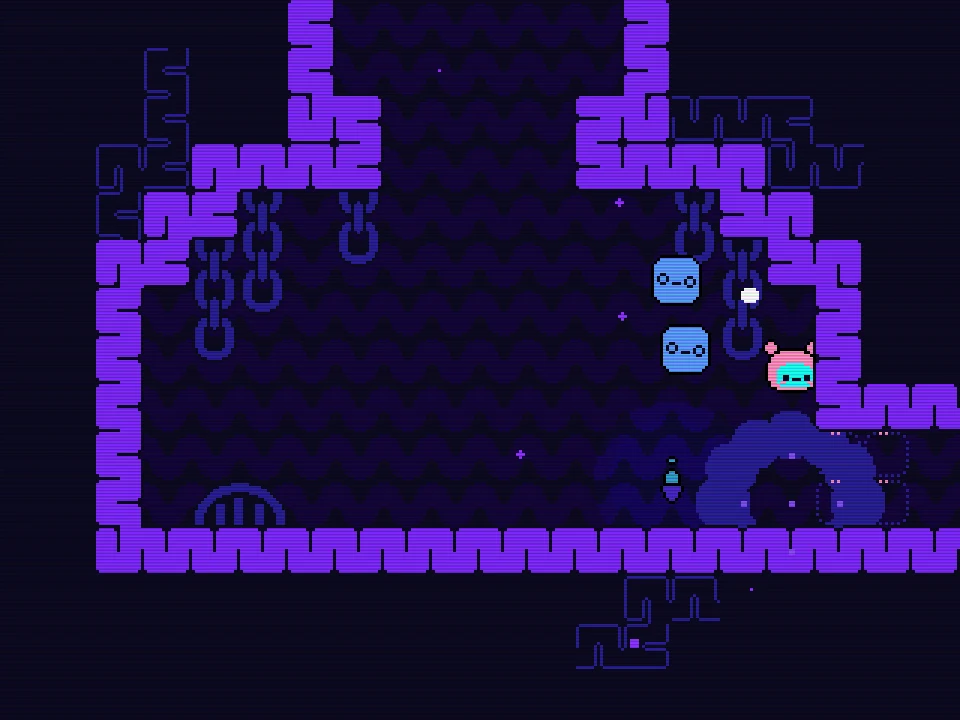
The opening blue stack gives you another kind of feedback. An explosion near it can lift the pieces and briefly change the space around the passage. Afterward, the stack can settle back. Treating that movement as permanent destruction leads to a poor plan: waiting for a long time and then walking toward the old opening can bring you back to the same blocked route. The visible change creates a timing problem as well as a spatial one.
Compare the bomb’s distance from the stack with the head’s intended path. An explosion far away may move the head without producing the opening you expected near the obstacle. A closer blast can affect that local space, but you still need a way through while the arrangement is useful. Inspect what each object actually does after the explosion rather than assuming that everything hit by a blast disappears. A moving obstacle and a removed obstacle offer very different return routes.
Why can another placement feel delayed after a blast?
The body has to be available before it can become another bomb. Immediately after an explosion there is a short recovery before that body returns. During the unavailable moment, repeatedly asking for placement can appear delayed and does not provide an endless sequence of instant launches. Watch the creature’s state and let that recovery finish before judging the next placement attempt.
This matters most when a previous blast has already put the head in motion. A plan that assumes an immediate new body in mid-flight can fail even though the first launch worked perfectly. Choose a real landing or a prepared remaining bomb for the next stage. If you are practising the first launch, return to safe floor and wait for a clear ready state. Separating body recovery from a missed click prevents an intended limitation from looking like an unexplained control fault.
Two bombs add a second job to the setup
Later in the demo, the creature can have two body bombs available. Do not assume that state exists in the first room. When the game has supplied it, think about the work assigned to each placement before committing to the first explosion. One may create the outward displacement while the other remains useful for height, a later crossing or a return. Two bombs are not automatically more helpful if both are placed where the first blast leaves the head unable to use them.
A spike-side shaft makes the return question especially important. Look at the checkpoint ledge, the open space over the spikes and the position the head will occupy after the first displacement. A remaining bomb is useful only in relation to that new position. Reassess before triggering again. The focused return-route guide develops this planning task without requiring you to follow an entire room-by-room solution or reveal the demo’s later discoveries.
Use flags and hazards to make the next attempt clearer
Pink flags and recognizable room edges give you landmarks while exploring. Notice the safe position associated with a nearby flag before attempting a spike-lined crossing. If a launch fails, use the returned position to rebuild a deliberate setup instead of repeating movement as soon as the scene reappears. The geometry of the attempt is easier to compare when the departure and intended landing are both recognizable.
Not every new room asks for a longer version of the previous jump. A narrow passage, a temporary opening and a tall shaft can demand different relationships between body and head. Before copying a familiar bomb arrangement, inspect the new ceiling, floor and return space. The small visual changes between rooms are part of the puzzle. A plan that leaves the head alive but unable to reach a useful next position still needs revision.
Is this the full game or a browser demo?
This page’s instructions focus on the HTML5 demo and its visible room family. The full commercial release has a wider scope, so a complete-release route or late-game ability should not be assumed to exist here. Learn the control setup and room objects the demo actually presents. When a recording shows a different map or a tool you have not encountered, first compare the version and the visible room rather than searching your current screen for a missing feature.
You can explore the early rooms without reading a full solution in advance. Start by testing one controlled launch, noticing an obstacle’s actual response and finding a dependable landing. Then investigate another passage when the current route seems to require a state you do not yet have. This preserves the game’s discovery while giving each failed launch a concrete question to answer. The controls guide is suited to the first deliberate blast; the two-bomb guide begins after the later state is available.
What should I do when the player will not start?
Choose Play Now on the cover to open the configured game window. If the game host refuses the connection or a load times out, the player shows a failure message and Retry Game. Retrying can help a temporary connection problem, but it cannot guarantee that the external host will accept the page. The instructions and game images remain readable independently of that window, so a connection failure does not hide the control explanation.
A desktop browser with a keyboard and mouse suits the inspected control setup. Click inside a running game before testing movement, and use either fullscreen control when small objects or landing edges are hard to distinguish. Webpage Fullscreen enlarges the player within the page; Browser Fullscreen uses the browser’s native mode. Neither changes bomb recovery or makes a dangerous landing safe. When the game is running, focus on the next visible setup: body location, head location and the surface that should receive the blast.