
Watch the robot goal and the launch allowance
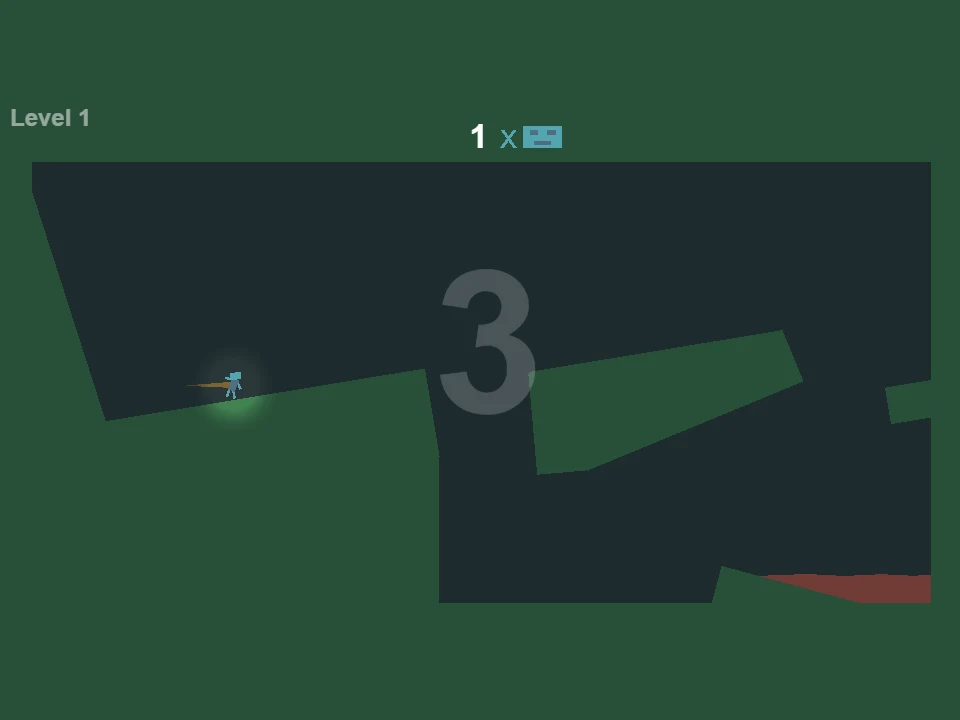
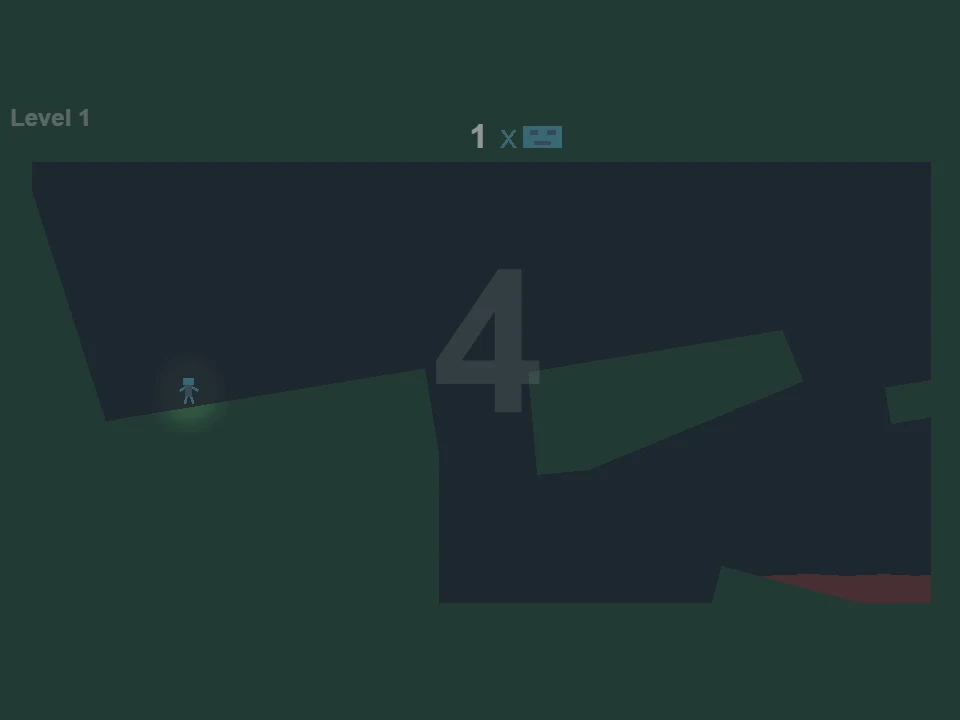
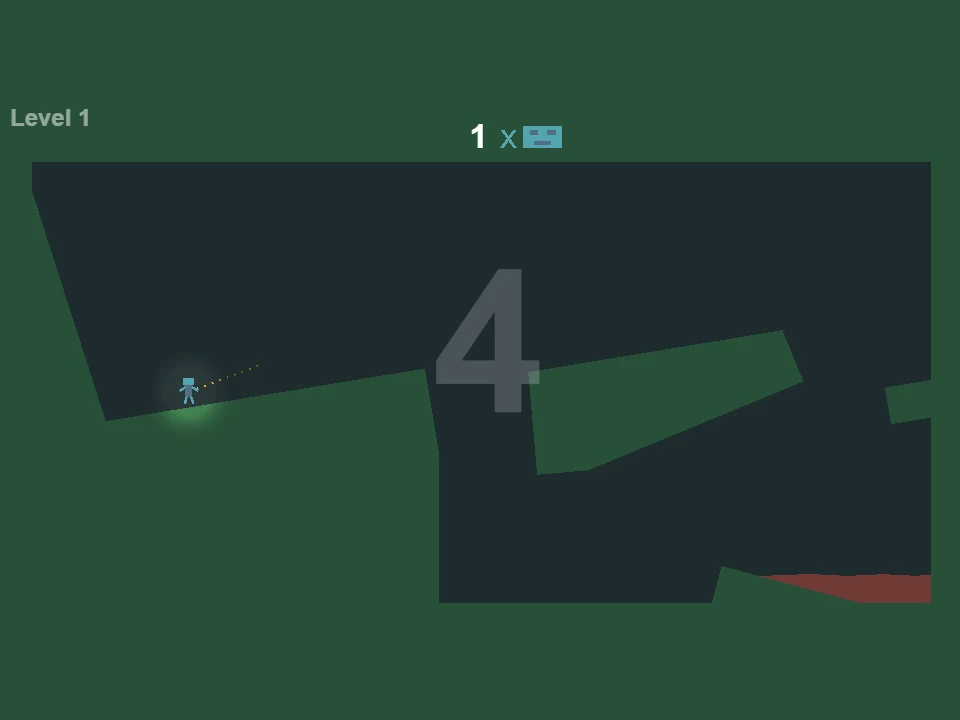
Jellybots is a mouse-controlled physics puzzle about getting robots into red jelly. Two numbers tell different parts of the story. The small number beside the robot icon is the room’s target, while the large number in the playfield is the remaining launch allowance. In the opening room, the goal is one robot and the large count begins at four. Mixing those numbers up makes it difficult to judge whether an attempt still has a useful action left.
| Display | Opening-room value | Meaning |
|---|---|---|
| Number beside the robot icon | 1 | Robots required to reach jelly |
| Large playfield number | 4 | Launches remaining |
| Large number at zero | 0 | No new launches; existing motion can still finish |
The first robot can wait on its starting slope while you inspect the room. In an untouched opening attempt, several seconds passed with the large count still at four. It is not a wall-clock countdown. After a launch, however, the robot has motion to resolve. It may slide along a slope, fly into a wall or fall through the central gap while the allowance stays at its new value. Read the current trajectory as well as the number of actions available.
Hold to slow the scene, then release to throw
Hold the left mouse button to slow time. Position the pointer in the direction you want the robots to move, read the dotted guide and release to throw. In the first room, aiming above and to the right creates a visibly different guide from aiming almost horizontally along the starting slope. The guide helps you plan a direction; it is not a promise that the robot will pass through the terrain lying in that direction.
A release spends a point from the large allowance. During a held aiming moment, the old count is still visible; after release, it decreases and the robot leaves a trail. Use that distinction to think before committing. You can inspect the slope and destination while aiming, then spend the action when the proposed movement has a clear purpose. Moving the pointer farther away should not be treated as an untested guarantee of unlimited power or a way to ignore the room’s walls.
The central gap is not the red jelly
The opening slope ends before a deep central space. Beyond it, a raised slanted section leads toward the far-right side, and the red jelly is low on that side of the room. A launch that moves the robot rightward can still fail to reach the useful far surface. Watch where its arc meets the near edge and the opposite wall. Horizontal progress alone does not mean the gap has been cleared.
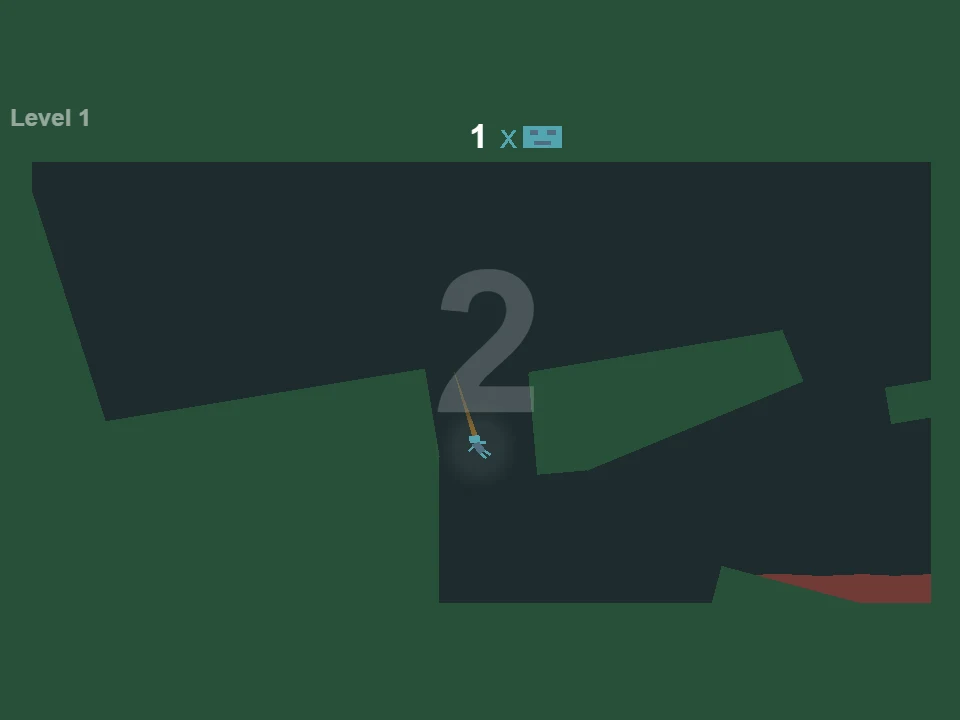
A gentle early launch can leave the robot farther along the starting slope, which is a different result from a complete crossing. A steep launch used too early can also drop the robot into the central bottom before it reaches the far side. Once it is low in that pocket, the terrain between it and the jelly is a new obstacle. Compare the take-off position, the guide direction and the first landing instead of describing every miss as a lack of speed.
Quick follow-up actions can change the whole crossing
Quick clicks can add speed, but each release still uses an action. A closely spaced sequence can produce much more travel than a single gentle throw followed by a long wait. In the opening room, a rapid sequence carried the robot across the central gap and onto the far slanted section. That is useful feedback about building movement, not a reason to spend every remaining launch without looking at the route.
The follow-up action should serve the next part of the trajectory. If the robot is approaching an edge, think about the direction that clears the space beyond it. If it is already high enough and moving well, another impulse can push it into the wrong wall. The first room gives you only a small allowance, so every correction competes with the action needed to leave the last surface and reach the jelly. Keep one eye on the launch count while watching the trail.
Use the slopes as part of the plan
The slanted platforms alter what happens after a robot comes down. A landing on the far ramp is not the same as landing in the central pocket, even when both are short of the jelly. The ramp can leave the robot moving toward an edge with a useful drop beyond it, while the pocket can put a solid wall in the way. Judge the surface that catches the robot before deciding whether to launch again.
The lower red pool is the destination, not every open dark region in the room. Trace the last part of the route downward from the far side so that you know which fall is helpful. A robot dropping below a platform can be making progress if the jelly lies underneath, but the same downward motion in the center can strand it away from the pool. The geometry gives that fall its meaning; the trail’s speed alone cannot tell you whether it is a good result.
Does zero mean the attempt has already failed?
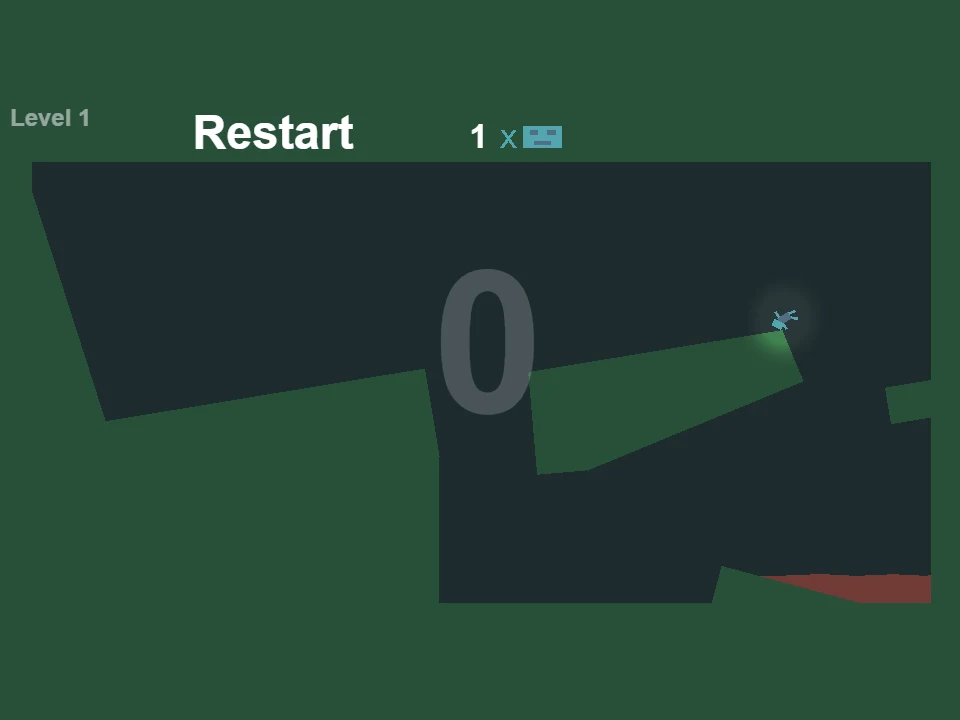
Zero means there are no launches left to spend. It does not instantly stop the robots. The Restart option can appear while they are still travelling, and a robot may yet reach jelly using the movement already created. In the first room, a robot remained on the far slanted section after the allowance reached zero, then the run progressed to the next level as that movement resolved. Restarting immediately would have interrupted that result.
Wait long enough to see where the active motion ends. If the target is still unmet and the robots have settled somewhere with no route to the pool, restart and change the setup. If a robot is still falling toward red jelly, let it finish before deciding that the allowance was insufficient. This separates an exhausted action budget from an actually unsuccessful outcome. It also makes the last launch more interesting: the important question is what movement you have left in the scene, not merely whether a button can still be pressed.
One pointer can affect several different trajectories
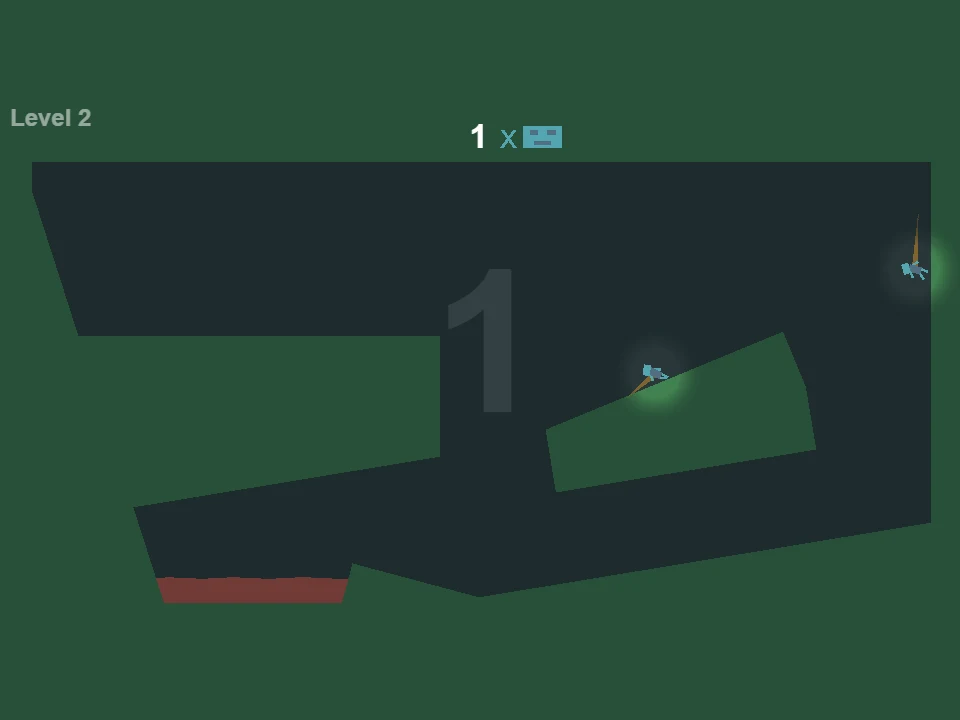
Later rooms show more than one robot. The number beside the robot icon tells you how many are needed for that room, which can differ from the number of figures visible. For example, a room can display a target of one while more than one robot is moving. Read the actual target instead of assuming that every visible figure must follow the same route to the same pool.
A shared pointer does not put every robot in the same relative position. One may be below and left of the cursor while another is near the right wall, so the same release can send them into quite different parts of the geometry. Before a launch, scan all the robots that matter to the target. A direction that helps one clear a ledge may push another toward a ceiling or side wall. Multiple jelly pools and separated slopes make that shared action a planning problem rather than a series of independent throws.
Reset the current room and test one change
R restarts the current level. M mutes sound and Escape opens the menu. After a miss, identify the earliest useful correction: a later take-off from the starting slope, a different guide angle at the gap or fewer launches spent before the far ramp. Replaying all the same impulses and adding one desperate click at the bottom usually preserves the reason the robot ended there. Change the part of the route that first created the bad position.
For a first session, compare a single gentle launch with a short sequence that preserves more movement through the gap. Watch the large allowance after every release and give the final trajectory time to finish. This teaches the relationship between aiming, momentum and terrain without relying on an exact pointer coordinate. Screen size and the robot’s current position can change how a memorized click location behaves, whereas a visible guide toward a chosen landing remains understandable.
Keep aiming inside a clear game window
A desktop mouse gives you direct control over holding, positioning and releasing. Click into the player and keep the pointer where you can compare the guide with the robot’s current location. Fullscreen is useful when the dotted guide, small target count or low red pool is difficult to distinguish. Enlarging the game does not add launches or change a wall into a traversable surface.
Use Retry Game only when the host connection fails or the player has to reload. Use R or the visible Restart option for a running level that needs a fresh physics attempt. The room can still be readable after all launches are spent, so let a plausible final fall resolve first. A good attempt gives each release a job: approach an edge, clear a gap, preserve useful motion or finish the drop into jelly.