
Twelve moves changes how you explore
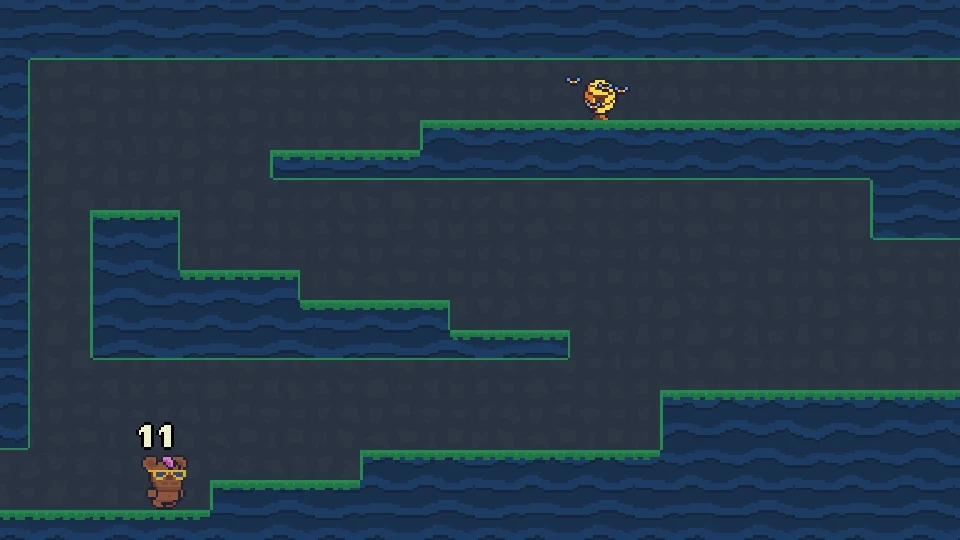
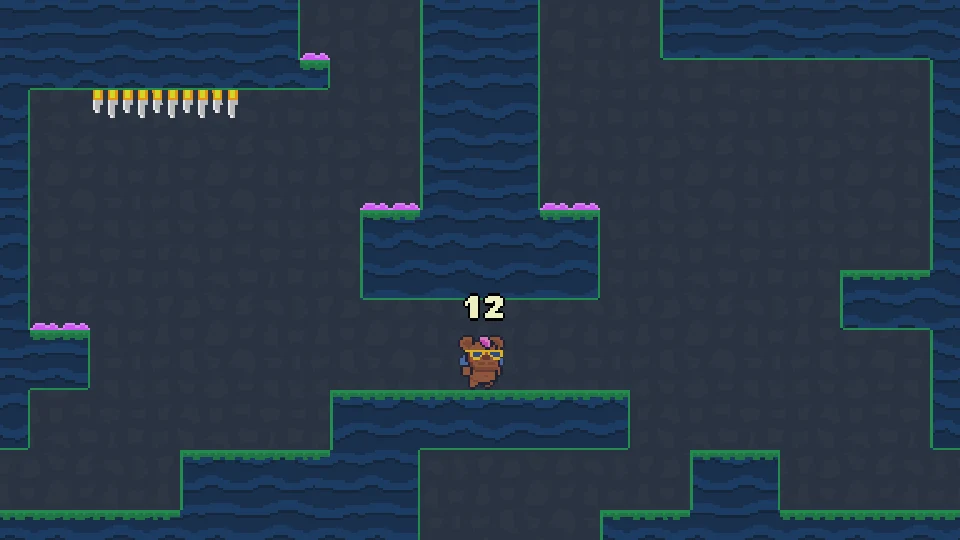
Dozenbear is a small exploration game built around a movement allowance. The bear begins with 12 above its head, and the larger task is to fill twelve jars of honey. Between checkpoints, accepted movement actions spend that allowance. The number is not a countdown measured in seconds. You can stop issuing commands and look at the nearby ledges without watching a real-time timer drain away.
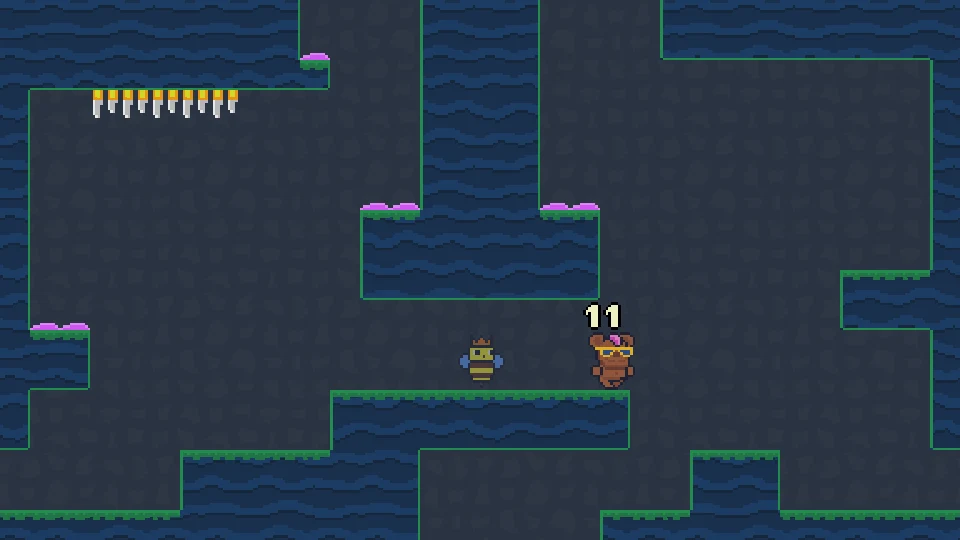
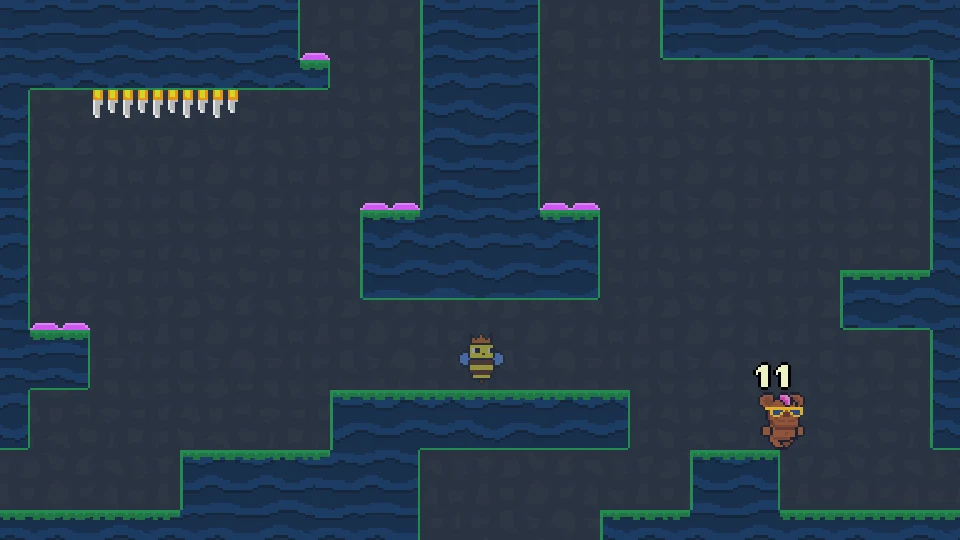
The opening cave gives you a useful comparison. One rightward command changes the visible number from 12 to 11. The bear moves along the starting platform and can continue moving after the key is released. During that continuation, the number remains 11. Position and remaining allowance therefore need to be read separately. A command has a movement result that lasts beyond the instant you press the key, and the route must account for where that result will take the bear.
Start with the keyboard menu and one clear direction
Use the displayed WASD or arrow controls. In the opening menu, up and down change the selected option and Enter confirms it. Choose Play for the ordinary exploration run. The menu also offers Speedrun and separate music and sound options, so check the selected item before confirming. A click near a printed menu word is not a reliable substitute for reading which option the keyboard selection currently highlights.
Once the cave opens, try one movement on the broad starting platform. Observe the number above the bear, the direction it travels and the edge it is approaching. Do not immediately add several direction changes. The first rightward move is enough to show that the budget and the character’s motion are linked, while releasing and waiting shows that they are not the same as a stopwatch. This small experiment gives you a much firmer basis for planning than spending several inputs before checking the result.
Why does the bear keep moving after I release?
A released direction does not necessarily leave the bear standing where it was at the release moment. In the opening example, the bear continued right and fell from the starting ledge while the allowance stayed at 11. Plan for that continued travel. Look at the next wall, drop or lower platform before giving the initial direction, rather than expecting a short tap to place the bear at an exact pixel position.
Watch which commands the game actually accepts. A repeated key event and a newly useful movement action are not automatically interchangeable, especially while the bear is already travelling or airborne. Use the displayed count as the authority on what the current attempt has spent. If the bear keeps following an unhelpful route, decide where to change its movement before the edge arrives. Unplanned corrections can consume the allowance that the next jump or turn needed.
Plan a journey to the next recovery point
The practical unit of progress is a route between checkpoints, not an arbitrary amount of empty cave. Before leaving a known position, find the next useful ledge and the surfaces along the way. The pink-topped ledges stand out against the blue walls and make useful landmarks to inspect as you learn the checkpoint network. Watch the budget and the game’s response when you arrive; a reachable recovery point changes how ambitious the following route can be.
Count necessary decisions rather than holding a direction for an imagined number of seconds. Which way must the bear leave? Where does it need to jump? Is a reversal needed after the landing? Which part can be handled by continued motion and gravity? A route with a visually short gap can still be expensive if it demands repeated corrections. A longer passage may be manageable when one useful direction carries the bear across most of it.
- Identify the next recovery point before leaving.
- Choose the useful departure direction.
- Locate the jump or turn the route actually needs.
- Observe the count after an accepted command.
- Use continued motion only when it leads to a safe landing.
Where can I open the map?
S or the down arrow opens the map when the bear is at a checkpoint. If it does not open while you are crossing a room or falling beside a ledge, first check that condition. The map is a checkpoint tool, not a button that promises an overview from every airborne position. Reach a stable recovery location before using it to plan the next part of the cave.
The game saves at checkpoints. That makes reaching one useful even when the honey route continues beyond the current screen. Treat the map and save behavior as part of the exploration loop: reach a known recovery point, inspect the connected route, then leave with a specific destination. Do not count on a half-finished crossing to be preserved as an equivalent save position. Returning to the game may place you at its checkpoint progress rather than the exact place where a browser tab was closed.
Friendly bears change which routes are possible
Other bears provide new movement powers. One visible instruction introduces a left-left or right-right dash, and another introduces an up-up double jump. Read those displayed combinations when they appear. They expand the route choices beyond the movement available at the start, so a ledge that looked out of reach earlier can deserve another look after meeting the relevant bear.
An ability is useful only when its movement ends somewhere safe. A faster horizontal action still needs a destination beyond the flame row, and an additional upward action still needs space below the ceiling spikes. Compare the new move with the route you wanted it to solve before spending it in a crowded chamber. Avoid assuming an exact movement cost merely from the number of keys in the printed combination; check the bear’s allowance after the accepted action in the current attempt.
Honey is a longer route problem than a single ledge
The twelve-jar objective encourages you to connect rooms rather than treating every screen as an isolated level. A newly acquired power can make an earlier branch useful, while a checkpoint can turn a difficult return into a shorter next stage. Keep track of where a branch leads in relation to the recovery points you have already reached. Getting to a honey location and getting away from it are both parts of a workable plan.
When a route seems to demand more movement than the allowance permits, reconsider its starting point and the powers available. You may be approaching from an inefficient checkpoint, overlooking a useful descent or trying to solve a route before learning the move it expects. Repeating the same corrections with a dwindling number above the bear will not make the route cheaper. Use the map at a checkpoint to compare another approach before committing to the same long detour.
Use an exhausted attempt to identify wasted actions
If the allowance runs out, review the route you just attempted. Which input changed something useful, and which was a late correction? Did continued movement already carry the bear where you wanted, making an extra command unnecessary? Did an unsafe landing force a reversal that could have been avoided at the departure point? These questions turn the visible budget into feedback about the plan instead of a reason to press the keys faster.
Do not assume R is a room-reset key simply because other browser platform games use it. Dozenbear’s listed controls include its movement, checkpoint map and Escape menu. Use the options the game actually presents. Starting a Speedrun is also different from resuming ordinary checkpoint exploration, so read that menu before choosing it. The goal of an early attempt is to learn one economical connection between safe positions, then build the wider honey route from those dependable connections.
Keep checkpoint progress with the embedded game
Checkpoint progress belongs to the game’s browser environment. This website does not create an account or store a separate copy of the bear’s adventure. Private browsing, third-party storage restrictions or clearing the game host’s site data can affect whether saved progress is available later. If you want to continue a run, use the same browser environment and avoid treating a cleared player as a guaranteed backup of an earlier checkpoint.
A desktop keyboard makes the directional combinations and checkpoint map practical to use. Fullscreen can help distinguish small pink ledges, flame clusters and the number above the bear. For a connection failure, Retry Game reloads the player; it is not a way to buy extra moves in a running attempt. Once the cave is open, read the allowance, the current motion and the next recovery point together. That is the information the game gives you for choosing where the bear should go next.